

Choosing Remote Controlled Animatronics is less about finding the most dramatic figure and more about matching motion, controls, and maintenance to the venue. A dinosaur that looks convincing under showroom lights may behave differently in a crowded exhibit, where noise, dust, and repeated movement expose weak points. Small details matter.
The TEA/AECOM 2023 Theme Index reported 244.6 million visits across the world’s top 25 theme parks. That figure does not measure animatronic sales, but it illustrates the demanding settings where many attractions operate. Buyers should compare movement range, control response, operating time, setup requirements, spare-part access, and the supplier’s service record. Request a live demonstration, not just a polished video. A spec sheet can look reassuring. It is not a rehearsal.
Robotics pioneer Rodney Brooks wrote, “The world is its own best model. It is always exactly up to date. It always has every detail there is to be known” (1990). His observation concerns robotics broadly, not animatronics specifically, but it offers a useful reminder: real conditions matter. Test the figure at the intended distance, with its actual controller, lighting, and sound level. Ask how operators handle missed signals and routine wear. I would not treat a smooth five-minute demo as proof of long-term reliability. The best choice is the one your team can operate consistently, maintain confidently, and adapt when the setting changes.
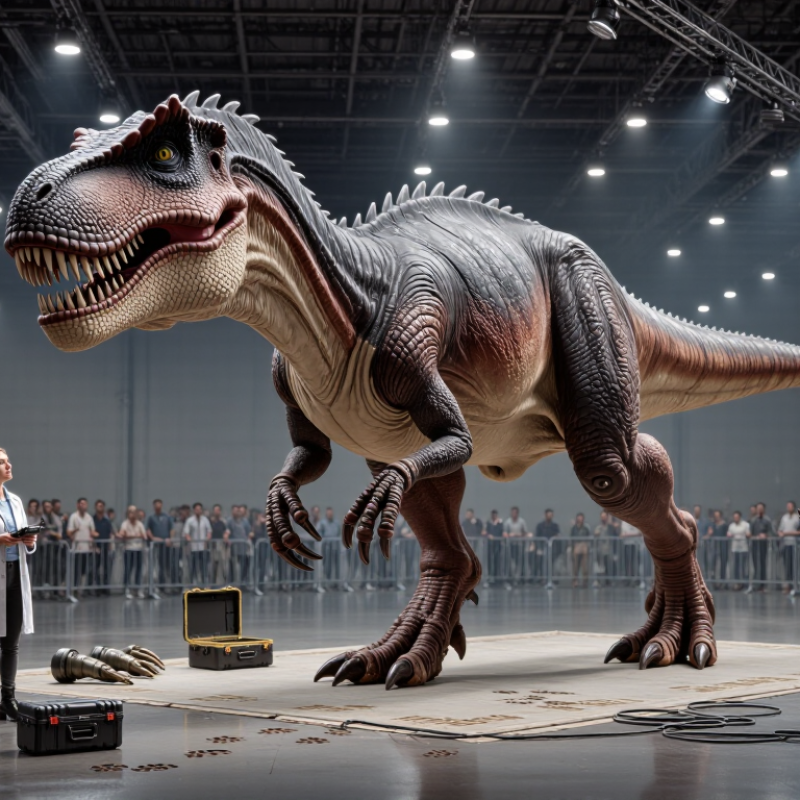
Remote-controlled animatronics combine a movable figure with electronics that respond to an operator’s commands. A handheld transmitter sends signals to a receiver inside the prop. The receiver directs servos or small motors, which move joints, eyes, jaws, or fabric-covered mechanisms. Power may come from a battery or a wired supply. Control range, signal delay, and moving-part resistance all affect how natural the motion looks.
The International Federation of Robotics reported 4,281,585 industrial robots operating worldwide in 2023 in its World Robotics 2024 report. That figure describes industrial robots, not animatronics; it offers broader context for the growth of programmable motion systems. In an animatronic setup, a jaw might open through a servo and linkage, while a separate channel turns the head. A system can still feel jerky. Smooth motion depends on calibration, suitable motors, and careful coordination—not just a powerful remote.
Tips: Test each movement slowly before combining actions. Keep fingers clear of linkages, check battery levels, and confirm what happens when the signal drops. Start with fewer movements than you think you need. The simpler setup may look better, though it takes some trial and error.

Before choosing a remote controlled animatronic, decide what it must do. A museum display may need slow, repeatable gestures and quiet motors. A trade-show figure may need shorter movements that remain visible across a busy room. Measure the space. Note door widths, ceiling height, floor slope, and the distance between the operator and the figure. These details can rule out a design that looks suitable on a product sheet.
The operating environment matters just as much. Dust, damp air, bright sunlight, and uneven flooring can affect performance, so confirm the unit’s rated conditions and setup requirements. Check how long it can run, how it recharges, and whether the operator can maintain a clear view of its movement. Keep enough clearance around people, furniture, and cables. Test it there. A neat showroom demonstration can be misleading; the real venue may be noisier, tighter, or warmer. I would leave extra space for turning and maintenance, even if that makes the layout less dramatic. Ask for written operating limits, then test the controls and movement in a setup close to the intended location.
Compare the control system with the way the animatronic will actually be used. A handheld radio controller offers direct steering, while a programmed sequence can produce repeatable motions with less operator input. Check the controls in a quiet room and at the intended operating distance. Small buttons may be difficult to use while watching the figure. Simple, but limited. A spec sheet may list range without explaining interference, response delay, or setup time. Ask for a live demonstration, and test whether commands feel predictable.
Movement matters as much as control. Look for smooth starts and stops, balanced turns, and motions that fit the figure’s size. A large head paired with a quick neck turn can look startling rather than lifelike. Interaction features may include sound response, timed gestures, or sensor-triggered movement. Confirm what activates each feature and whether it can be adjusted. Test with ordinary room noise; a sensitive microphone might react to nearby conversation. Also check how easily staff can pause or reset the system. I would not assume more movement means more realism. Sometimes one careful glance feels more convincing than five repeated gestures. A little awkwardness can remain, even after careful testing.
Compare control systems, movement, and interaction features using a practical 1–5 capability scale.
Scores are qualitative comparisons of typical system capabilities, not measured performance or a guarantee for every product. Actual range, movement, and interactive functions depend on the animatronic’s design and setup.
How to Choose Remote Controlled Animatronics
Assess Materials, Power Requirements, and Maintenance Needs
Start with the environment, not the character’s appearance. For outdoor use, check whether the shell resists rain, sunlight, and temperature changes. A sealed exterior can still trap heat around motors, so ask how ventilation and drainage work. Indoors, inspect flexible joints and fabric for snag points, dust buildup, and easy cleaning. Small parts fail first. Ask whether worn coverings, cables, and fasteners can be replaced without dismantling the entire figure.
Match the power supply to movement, not just standby operation. Repeated head turns or lifting motions can draw more current than a brief product demonstration suggests. Request expected runtime, peak load, charging time, and guidance for battery replacement. U.S. Department of Energy guidance puts motor-driven systems at about 70% of industrial electricity use. That is a broad benchmark, not a prediction for one animatronic, but it highlights why motor efficiency and operating hours deserve attention. Keep power connections accessible and protected from spills or foot traffic.
Maintenance needs should be specific and written down: inspection intervals, lubrication points, cleaning methods, and likely wear parts. McKinsey’s 2017 maintenance analysis estimates predictive maintenance can reduce machine downtime by 30–50%. Those are cross-industry estimates, not guaranteed animatronic results. Still, logging unusual sounds, slower movement, or rising motor temperature can reveal trouble early. One detail is easy to overlook: a complex mechanism may look impressive but take longer to service. Compare access panels and replacement procedures before choosing.
Compare common display-use profiles before selecting a unit. Power figures are broad planning estimates; actual draw depends on movement, load, duty cycle, and the manufacturer’s specifications.
| Use Profile | Typical Materials | Power Requirements | Movement and Control | Maintenance Needs | Best-Fit Conditions |
|---|---|---|---|---|---|
| Small tabletop figure | ABS or similar molded plastic shell; small metal brackets; compact servo motors. | Often low-voltage DC. Small units may use a battery pack or an approved DC adapter; check the rated voltage and current before connecting. | Usually limited head, jaw, or arm motion. Remote-control range and receiver compatibility vary by system. | Keep joints free of dust; inspect linkages and wires; replace batteries as needed. Avoid forcing manually driven parts. | Indoor shelves, counters, and compact displays where low weight and easy setup matter. |
| Medium character bust | Fiberglass-reinforced plastic (FRP) or molded plastic shell, with foam or fabric details and metal support structure. | Typically a low-voltage DC control system supplied by a rated adapter or power supply. Confirm peak current, especially when several motors move together. | May operate head turns, blinking, jaw motion, or gestures through servos or geared motors. | Inspect fasteners and moving joints regularly; check for cable wear and unusual motor noise; clean the shell with material-compatible products. | Indoor exhibits and themed displays with moderate motion and a fixed installation point. |
| Large full-body figure | Steel or aluminum frame with FRP panels, molded plastic parts, or flexible foam coverings. | May combine low-voltage controls with higher-current motor circuits. Larger units can require a dedicated, properly rated supply; verify the installation’s voltage, current, and circuit capacity. | Multiple coordinated movements increase mechanical load and control complexity. A stable base and protected moving zones are important. | Schedule checks of frame fasteners, bearings, belts, wiring, and motion limits. Keep a service record and follow the supplied inspection intervals. | Permanent indoor attractions or exhibits with adequate floor support, clearance, and access for service. |
| Flexible-faced character | Silicone or flexible foam skin over an internal frame; metal or plastic mechanisms beneath the surface. | Power needs depend on the number and size of the actuators. Use only the specified supply and keep electrical components protected from cleaning liquids. | Flexible facial features can create expressive movement but may be more sensitive to alignment and mechanical strain. | Clean gently with products approved for the skin material; avoid sharp objects, excess heat, and stretching the surface during handling. Inspect for tears and loose attachments. | Indoor close-view displays where realistic facial detail is a priority and careful handling is practical. |
| Outdoor or semi-outdoor figure | Corrosion-resistant metal supports where appropriate, sealed or coated panels, and weather-suitable cables and enclosures. | Use a power supply and connectors rated for the installation environment. Outdoor electrical protection, grounding, and installation must follow local requirements. | Wind, moisture, temperature changes, and debris can affect movement and control reliability. Confirm the stated environmental limits. | Inspect seals, cable entries, coatings, and fasteners more often; remove debris and check for moisture or corrosion after severe weather. | Only suitable when the unit is specifically designed and rated for the expected weather and exposure. |
Selection check: Before purchase, confirm the rated supply voltage and current, duty cycle, control range, installation clearances, material-cleaning instructions, replacement-part availability, and recommended service schedule. Never exceed the stated electrical or environmental ratings.
When comparing remote controlled animatronics, ask how the unit behaves in the exact space where it will operate. A showroom demo may not reveal hazards near a narrow aisle or low ceiling. Check pinch points, movement limits, emergency stops, cable routing, and stability on your actual floor. Request clear operating instructions and maintenance records, then test the controls with the people who will use them. Keep visitors outside the movement zone. Small details matter.
Support deserves the same scrutiny as the machine. Ask how quickly technical help is available, which replacement parts are stocked, and whether repair guidance is included. A quiet motor fault can still cancel a scheduled event. Calculate total ownership cost across purchase, delivery, installation, staff training, power, storage, routine servicing, and likely repairs. Compare costs over several years, not just the initial quote. A common planning mistake is treating maintenance as an occasional surprise; it belongs in the budget from day one. Estimates can still be wrong, especially when usage changes, so leave room for unexpected service needs.
INFORMATION CENTER
RESOURCES & MORE
INSPIRATION FOR YOU
© Copyright 1981 - 2025 | California Patio™ All Rights Reserved

